Klaviyo Connector

Connector

Marketing & CRM
Get started

Get your Labs keyWeb appHelp & installation guideContact support

This extension is provided through Booxi Labs. It can change or be discontinued at any time, is provided as is, and is not covered by the Booxi Core SLA.

Support is provided on a best-effort basis during Booxi business hours (Mon–Fri, 9am–5pm EST). Typical response time: 1–2 business days.

Overview

The connector streams every Booxi event to Klaviyo in real time: appointments, reservations and queue, from booking to visit. From there, your team runs its own scenarios, on brand and on the right channel: confirmations, no-show reminders, post-visit follow-ups, or campaigns targeted on booking behavior.

Key capabilities

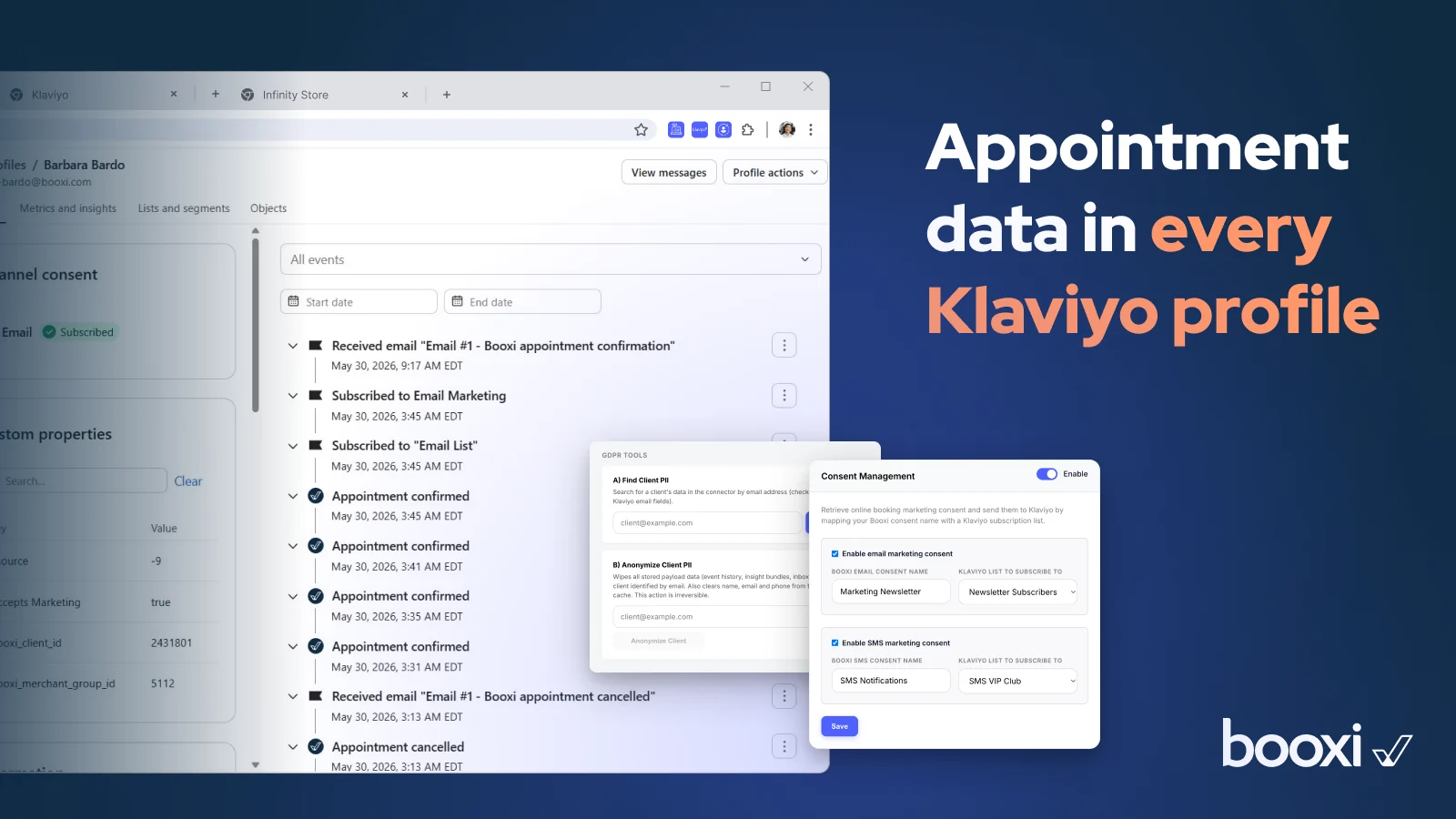
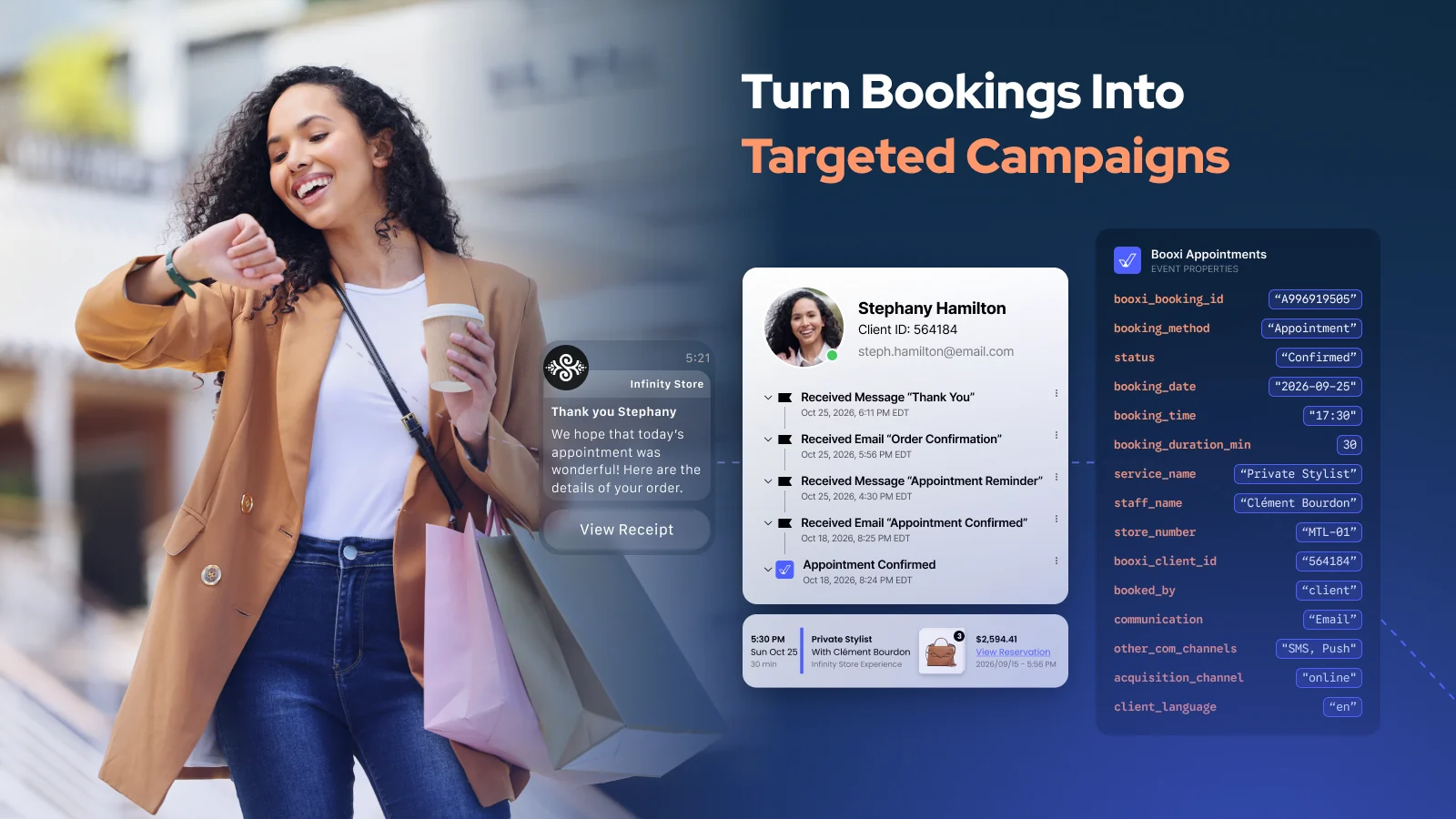
  • Booking data in Klaviyo: appointment, reservation and queue events, with service, advisor, store and history. Segmentation e-commerce data alone cannot give you.
  • Automatic client sync: new Booxi clients are created in Klaviyo.
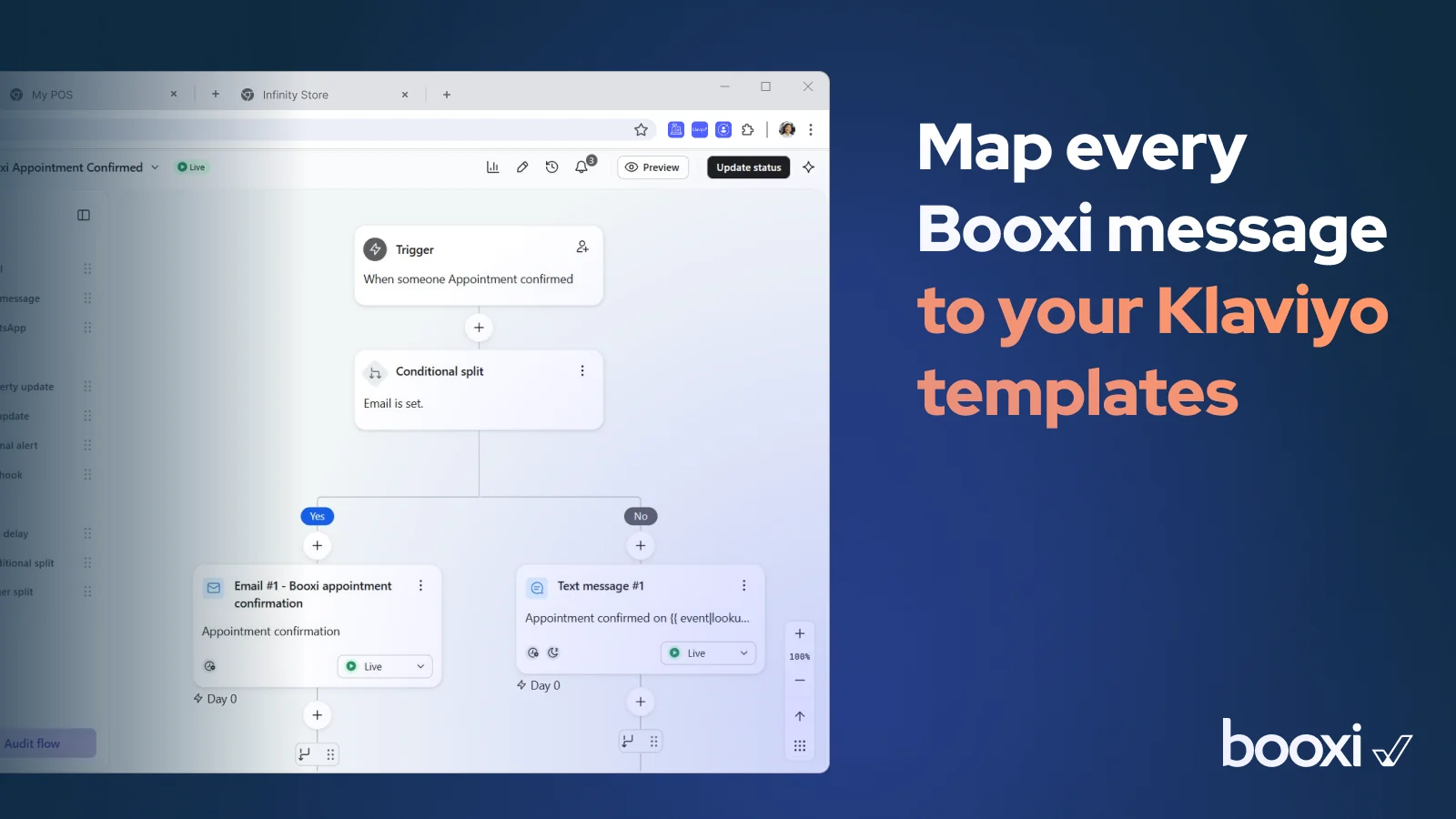
  • Your templates, your channels: map each Booxi notification to a Klaviyo template, send via email, SMS, WhatsApp or push.
  • Sharper audiences: appointment data feeds your segments and lookalikes.
  • Appointment conversions as orders: the sale tied to an appointment is sent to Klaviyo as an order event, ready for your revenue segments and flows. Appointments only, never your full store transactions.
  • Self-serve setup from Booxi Labs, with your Labs key.
  • Self-serve monitoring: connection status and event delivery stats, visible in your Booxi Labs dashboard.

Use cases

  • On-brand notifications: confirmations and reminders sent from Klaviyo with your own templates.
  • 1:1 personalization: every message adapts to the client's appointment context, wrong sends excluded.
  • Living segments: booking-behavior segments that re-engage clients automatically.

What it doesn't do

  • It does not send messages itself: Klaviyo sends, the connector feeds it.
  • It does not import store-wide sales: only orders tied to an appointment are sent.
  • No payment card data is ever transmitted.
  • Channels (SMS, WhatsApp, push) and data retention follow your Klaviyo plan and client consents.

Requirements

  • A Booxi account, a Klaviyo account and a Booxi Labs key.
  • Install from Booxi Labs with your Labs key. No development needed.
  • Using your own templates? Booxi support disables native notifications to avoid duplicates.

Data & security

  • Processes email, phone (if provided) and appointment information. No payment card data.
  • Sub-processors: Klaviyo, Google Cloud. Storage in North America or Europe, following your account region.
  • Access, anonymization and deletion requests supported. The Booxi DPA applies.